Quick-action flyout
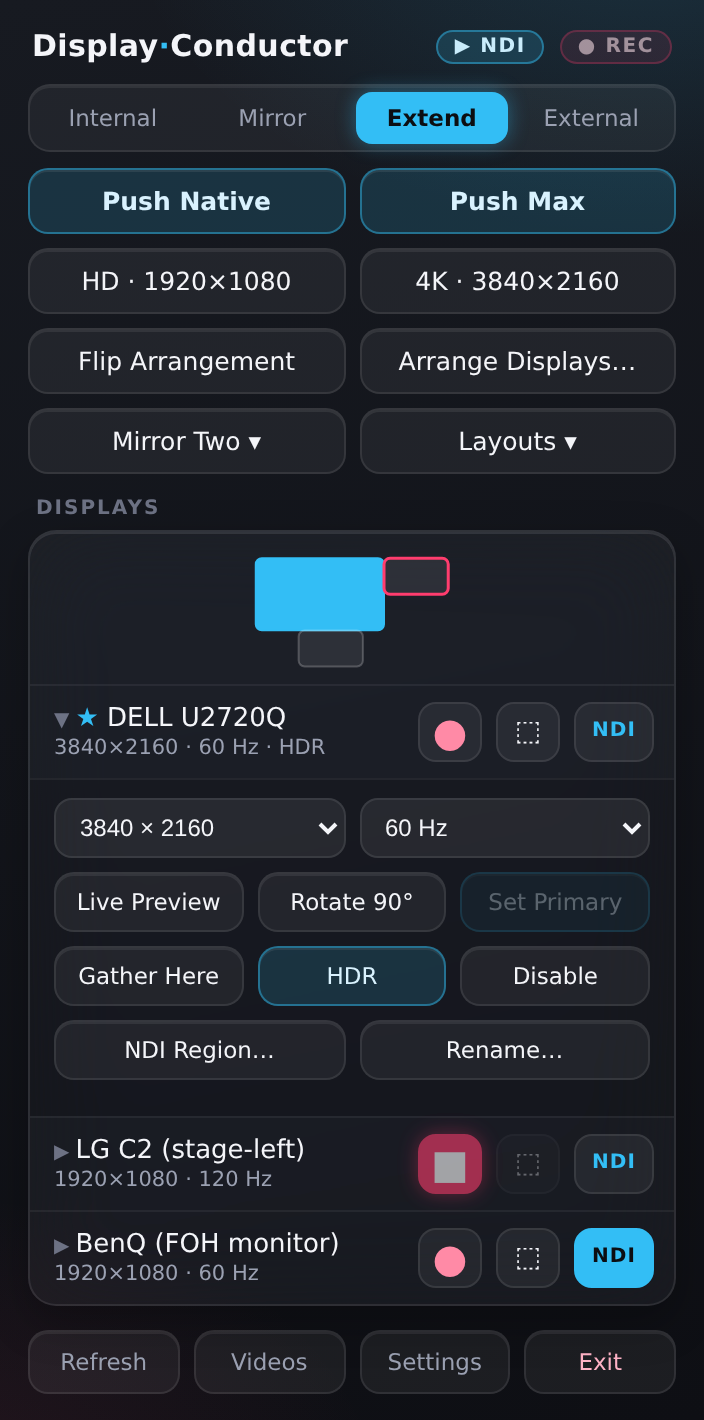
Live preview windows

Saved layouts

Windows 10 & 11 · native tray app
Display Conductor lives in your tray like Dropbox and turns chaotic monitor wrangling into one hotkey. Built for live event and production operators who replug displays mid-show and drive screens they can't physically see.
No account needed to try · 3 device activations per license
Win+P on steroids. One engine drives every action, whether you click it or fire a global hotkey.
Extend, mirror-all, internal-only, external-only — bound to global hotkeys so you switch mid-show without hunting through Windows settings.
Clone just the displays you choose while the rest stay extended. The CCD path is validated before it's applied, so you never black out the room.
Arrangements are keyed to each monitor's identity, not transient IDs — so they restore correctly, automatically, the instant you hotplug.
Desktop Duplication + D3D11 preview windows, aspect-locked and always-on-top, with automatic recovery from resolution changes and hotplug.
Rotate the primary or any single display 90°, or flip the whole arrangement — from the flyout or a hotkey.
Pull every window (or just the focused one) back onto the primary when a display drops — with elevation handling built in.
Default hotkeys
Perpetual license
$79one-time
Or start the free trial first.
One purchase is a perpetual license for Display Conductor — yours forever, with free updates. Each license activates on up to 3 devices, and you can deactivate a device any time to free a seat.
Yes. The download runs free for 14 days with no account required. Buy a key when you're ready and paste it in to unlock.
Windows 10 (1903+) and Windows 11, 64-bit. It's a tiny native tray app — no runtime to install.
The app checks for new versions and updates in place (download + swap on restart). Updates are included with your perpetual license.
Yes — your receipt is emailed on purchase, and you can download invoices any time from your account's billing portal.